Service news
 Join Us On Telegram
Neural translation of the store into multiple languages with a single click
🚀 New Feature: AI-Powered Store Translation into Multiple Languages in One Click
Stores can now be quickly translated into multiple languages using AI. Simply add an API key with sufficient balance in your store settings under "Auto Translation", select the required languages, and start the translation.
The API key balance is gradually consumed depending on the amount of text being translated. The more languages and characters your store contains, the higher the usage. An estimated cost calculation is available directly in the "Auto Translation" section.
💾 Translation Caching System
Each value is translated and paid for only once. Previously translated values are not processed again.
We recommend using Russian as the primary language. Store versions in other languages will be automatically created based on it.
Additional costs only occur when:
• new texts are added;
• existing texts are changed.
• new texts are added;
• existing texts are changed.
New data is automatically translated every 15 minutes. A manual forced translation is also available.
The system uses your balance very efficiently, and the total cost of translating an entire store can be as little as a couple of dollars.
The first full store translation may take some time, as the AI models need to process all existing content.
🌍 Available Languages
🇬🇧 English (en)
🇩🇪 Deutsch (de)
🇵🇱 Polski (pl)
🇪🇸 Español (es)
🇫🇷 Français (fr)
🇮🇹 Italiano (it)
🇵🇹 Português (pt)
🇳🇱 Nederlands (nl)
🇹🇷 Türkçe (tr)
🇨🇿 Čeština (cs)
🇷🇴 Română (ro)
🇨🇳 中文 (zh)
🇯🇵 日本語 (ja)
🇩🇪 Deutsch (de)
🇵🇱 Polski (pl)
🇪🇸 Español (es)
🇫🇷 Français (fr)
🇮🇹 Italiano (it)
🇵🇹 Português (pt)
🇳🇱 Nederlands (nl)
🇹🇷 Türkçe (tr)
🇨🇿 Čeština (cs)
🇷🇴 Română (ro)
🇨🇳 中文 (zh)
🇯🇵 日本語 (ja)
You can select only the languages you need for each specific store.
🔎 SEO for Each Language Version
Not only store content is translated, but also SEO data:
• Title
• Description
• Keywords
• Title
• Description
• Keywords
Each language version has its own URL structure and can independently appear in search engine results.
Old URLs without a language-specific format are automatically redirected to the store's default language version.
✏️ Manual Translation Editing
Every translation can be manually edited. If a particular phrase was translated incorrectly or the text needs to be adapted for a specific audience, you can edit it yourself.
🌐 Improved Automatic Storefront Language Detection
The template settings now include improved language detection based on the visitor's IP address, along with USD price display for international visitors.
Select the storefront language based on the visitor's country:
🇷🇺 Russia, 🇺🇦 Ukraine and 🇧🇾 Belarus → Russian.
Visitors from other countries are automatically shown the language of their country if it is enabled in the store's auto translation settings. If that language is not enabled, English is used.
Manual language selection always takes priority.
💵 Price Display in USD
On all language versions except Russian, prices displayed in rubles are automatically converted to USD using the Central Bank exchange rate.
Now a single store can be quickly adapted for multiple markets while maintaining separate language versions for both users and search engines.
10-09-2026
Read more
Product Pagination - Faster Store Loading
🚀 Faster Loading for Stores with Large Product Catalogs
We’ve added a new pagination system that significantly reduces the number of products loaded when a store’s homepage is opened for the first time.
You can now choose one of the following options in your store settings:
🔹 Classic pagination - for example, 48 products per page with navigation between pages.
🔹 “Load More” - the first 48 products are loaded initially, while the rest are loaded as you click the button, without reloading the page.
At the same time, subsequent products and their images are not loaded in advance. This reduces the initial page load and helps stores with large product catalogs open faster.
🔹 Classic pagination - for example, 48 products per page with navigation between pages.
🔹 “Load More” - the first 48 products are loaded initially, while the rest are loaded as you click the button, without reloading the page.
At the same time, subsequent products and their images are not loaded in advance. This reduces the initial page load and helps stores with large product catalogs open faster.
🔎 Important: Each page has a separate URL, a proper canonical URL, and is accessible to search engines. Search still works across the entire product catalog, including products that have not yet been displayed on the homepage.
⚙️ This feature is completely optional. To enable it, go to “Template Settings”, find the “Product Pagination” setting, and select the option that suits you.
If pagination is not enabled, the store will continue to work with the previous product display logic.
As a result, stores with large product catalogs become faster and more convenient for users.
31-08-2026
Read more
New Telegram Parser Features and Product Management Improvements
We have added several new features and improvements:
📝 Bulk Adding Notes to Products
You can now select multiple products at once and assign them a shared note that will be provided to the buyer along with the product.
To do this, select the required items using the checkboxes and choose "Note upon delivery" from the menu.
You can now select multiple products at once and assign them a shared note that will be provided to the buyer along with the product.
To do this, select the required items using the checkboxes and choose "Note upon delivery" from the menu.
📦 Bulk Moving Products as a Block
We have simplified product sorting in your store. Select the required items using the checkboxes, hold LMB and drag the selected products as a single block to the desired position in the list.
We have simplified product sorting in your store. Select the required items using the checkboxes, hold LMB and drag the selected products as a single block to the desired position in the list.
🌍 Improved Automatic Language Detection
The algorithm for automatically switching the website language based on the buyer's IP address has been improved.
A reverse mode has also been added: when the English version of the website is active, users with a Russian, Ukrainian, or Belarusian IP address will automatically see the Russian version of the website.
The algorithm for automatically switching the website language based on the buyer's IP address has been improved.
A reverse mode has also been added: when the English version of the website is active, users with a Russian, Ukrainian, or Belarusian IP address will automatically see the Russian version of the website.
🔹 New Filter in the Telegram Accounts Sales Module Parser
Products can now be displayed sorted from the lowest price to the highest.
Products can now be displayed sorted from the lowest price to the highest.
💵 USD Prices in the Telegram Module
You can now display account prices in US dollars.
You can now display account prices in US dollars.
11-08-2026
Read more
Cashback for Buyers in RWS Pay - Boost Customer Loyalty & Repeat Sales
🎁 Want customers to keep coming back to your store?
We've introduced a new feature for sellers using RWS Pay - Cashback for Buyers.
Cashback is one of the most effective ways to increase customer loyalty. By rewarding buyers with a portion of their purchase back, they're much more likely to return to your store for future orders.
How does it work?
🔹 Set the cashback amount for your store.
🔹 After a successful payment, the cashback amount is automatically deducted from your RWS Pay balance.
🔹 The buyer receives the cashback to their balance and can use it for future purchases.
🔹 After a successful payment, the cashback amount is automatically deducted from your RWS Pay balance.
🔹 The buyer receives the cashback to their balance and can use it for future purchases.
Benefits of the new feature:
✅ Increases customer retention.
✅ Encourages repeat purchases.
✅ Makes your store more attractive than competitors.
✅ Fully automated - just configure it once.
✅ Encourages repeat purchases.
✅ Makes your store more attractive than competitors.
✅ Fully automated - just configure it once.
Start using cashback today and turn every purchase into a reason for customers to come back.
⚙️ The feature is now available in your store admin panel under "Buyer Dashboard" → "RWS Pay Cashback".
⭐️ Stores with cashback receive a special badge in search results and categories, helping buyers quickly identify the best-value offers.
06-08-2026
Read more
Platform Update: Telegram Bot Improvements
Platform Update: English Localization and Telegram Bot Improvements
We continue to improve our platform and are excited to introduce several new features designed to make the service more convenient for users around the world.
Automatic English Website Version
Visitors accessing the website from foreign IP addresses will now automatically see the English version of the platform. This allows international customers to navigate the interface more easily and complete purchases without any additional configuration.
Automatic Price Conversion to USD
When the English version of the website is enabled, all product prices are automatically converted to US dollars (USD) using the current exchange rate published by the Central Bank of the Russian Federation. This makes pricing clearer and more convenient for international buyers.
These features can be enabled in your template settings.
Telegram Bot Update 🤖
We've improved the way product listings are displayed in the Telegram bot, making them cleaner, more informative, and easier to browse.
In addition, the Telegram bot now includes full English localization, providing a much better experience for both international and English-speaking users.
Thank you for choosing our platform! We remain committed to delivering new features and continuous improvements.
We continue to improve our platform and are excited to introduce several new features designed to make the service more convenient for users around the world.
Automatic English Website Version
Visitors accessing the website from foreign IP addresses will now automatically see the English version of the platform. This allows international customers to navigate the interface more easily and complete purchases without any additional configuration.
Automatic Price Conversion to USD
When the English version of the website is enabled, all product prices are automatically converted to US dollars (USD) using the current exchange rate published by the Central Bank of the Russian Federation. This makes pricing clearer and more convenient for international buyers.
These features can be enabled in your template settings.
Telegram Bot Update 🤖
We've improved the way product listings are displayed in the Telegram bot, making them cleaner, more informative, and easier to browse.
In addition, the Telegram bot now includes full English localization, providing a much better experience for both international and English-speaking users.
Thank you for choosing our platform! We remain committed to delivering new features and continuous improvements.
30-07-2026
Read more
Cryptocurrency Payments Update
📢 Cryptocurrency Payments Update
We have completely redesigned how our cryptocurrency checkout system works.
Previously, funds from each payment were automatically transferred from our processor to your wallet. This resulted in ongoing network fees, which could range from $1 to $3 per transaction depending on the blockchain network.
Now, all incoming funds are automatically credited to your RWS Pay balance.
Funds are no longer sent to an external wallet after every payment, which means you no longer need to register with third-party services or pay transaction fees for each individual transfer.
You can accumulate funds in your balance and withdraw them whenever it's convenient for you — in a single transaction to any supported network. Automatic withdrawal requests are also available once a specified balance threshold is reached.
All incoming payments undergo AML screening, ensuring that you receive clean USDT when withdrawing funds, without the risk of receiving assets of questionable origin.
As a result, you save on fees, gain more convenient fund management, and retain all the benefits of cryptocurrency payments. By default, you will have access to two cryptocurrency payment gateways, both offering the same conditions and security protections.
✅ Buyer profiles are now created automatically when an email address is confirmed after a purchase. If the email address was already confirmed previously, a buyer profile will also be created after any new purchase.
24-06-2026
Read more
Passkey Support Added: Secure Passwordless Login
🔐 Passkey Support Is Now Available
You can now sign in to your account without a password using Face ID, Touch ID, fingerprint authentication, or Windows Hello.
Passkeys use cryptographic keys that are stored only on your trusted devices. No passwords or secret codes are transmitted during sign-in, making it significantly harder for attackers to steal your credentials through phishing websites or data breaches.
Once you've added a Passkey, you'll be able to sign in quickly and securely using your device's biometric authentication or built-in security features. For convenience, you can add multiple Passkeys for different devices.
❗️ Although Passkeys provide a high level of security, we also recommend enabling Two-Factor Authentication (2FA), as password-based login remains available.
Using Passkeys together with 2FA offers both strong account protection and a seamless sign-in experience.
15-06-2026
Read more
New Sales Channel: Telegram Bot for Your Store
🚀 Telegram Sales Are Now Available
We’ve added the ability to sell your store’s products through a Telegram bot.
Now customers can browse your catalog and place orders not only on your website, but also directly in Telegram.
All products listed in your store are available in the bot. Customers can browse them either as a complete list or by categories if categories are configured in your store.
To pay via RWS Pay, users need to link their Telegram account to their platform account in the profile settings. Once linked, purchases can be completed in the bot within seconds using funds from the RWS Pay balance.
For cryptocurrency payments, the same conditions apply as for regular orders: the same wallet and payment processor are used.
To create your own bot, go to @BotFather and create a new bot. Choose a name, customize its appearance, and add a description that matches your store.
Then copy the bot token, enter it in your store settings under the “Telegram Bot” section, and activate the integration.
Done! Your store now has an additional sales channel.
All orders placed through the bot will appear in the standard store orders section with a separate label, making it easy to track their source.
This new feature helps you reach a wider audience, improve customer convenience, and increase sales through an additional customer interaction channel.
When editing a product, we've added the ability to enable or disable visibility of the item in the Telegram bot and store. This allows you to create products that are only available in the bot and hidden from the storefront.
When editing a product, we've added the ability to enable or disable visibility of the item in the Telegram bot and store. This allows you to create products that are only available in the bot and hidden from the storefront.
11-06-2026
Read more
New Feature for Sellers: Affiliate Dashboard
You can now connect affiliates and provide them with a personal dashboard featuring sales and commission statistics.
The dashboard includes:
📊 Statistics
• Performance analytics
• Reports for a selected period
• Separate tracking of sales generated via referral links and promo codes
• Performance analytics
• Reports for a selected period
• Separate tracking of sales generated via referral links and promo codes
💸 Payout Requests
• Submit commission withdrawal requests directly from the dashboard
• Submit commission withdrawal requests directly from the dashboard
📁 Promotional Materials
• Access to the seller's marketing materials
• You decide which files from your storage will be available to affiliates
• Access to the seller's marketing materials
• You decide which files from your storage will be available to affiliates
How to connect an affiliate:
- The affiliate must register on the website.
- In the "Affiliate Dashboard" section, enter their email address.
- Configure the discount and commission rates.
Once completed, the "Affiliate Dashboard" section will automatically appear in the user's profile, providing access to statistics and promotional materials.
💡 We also remind you about our service's referral program.
Recommend our platform to colleagues who are planning to launch their own store and earn rewards for every referred customer.
08-06-2026
Read more
TG Accounts Module for Secure Buying & Selling
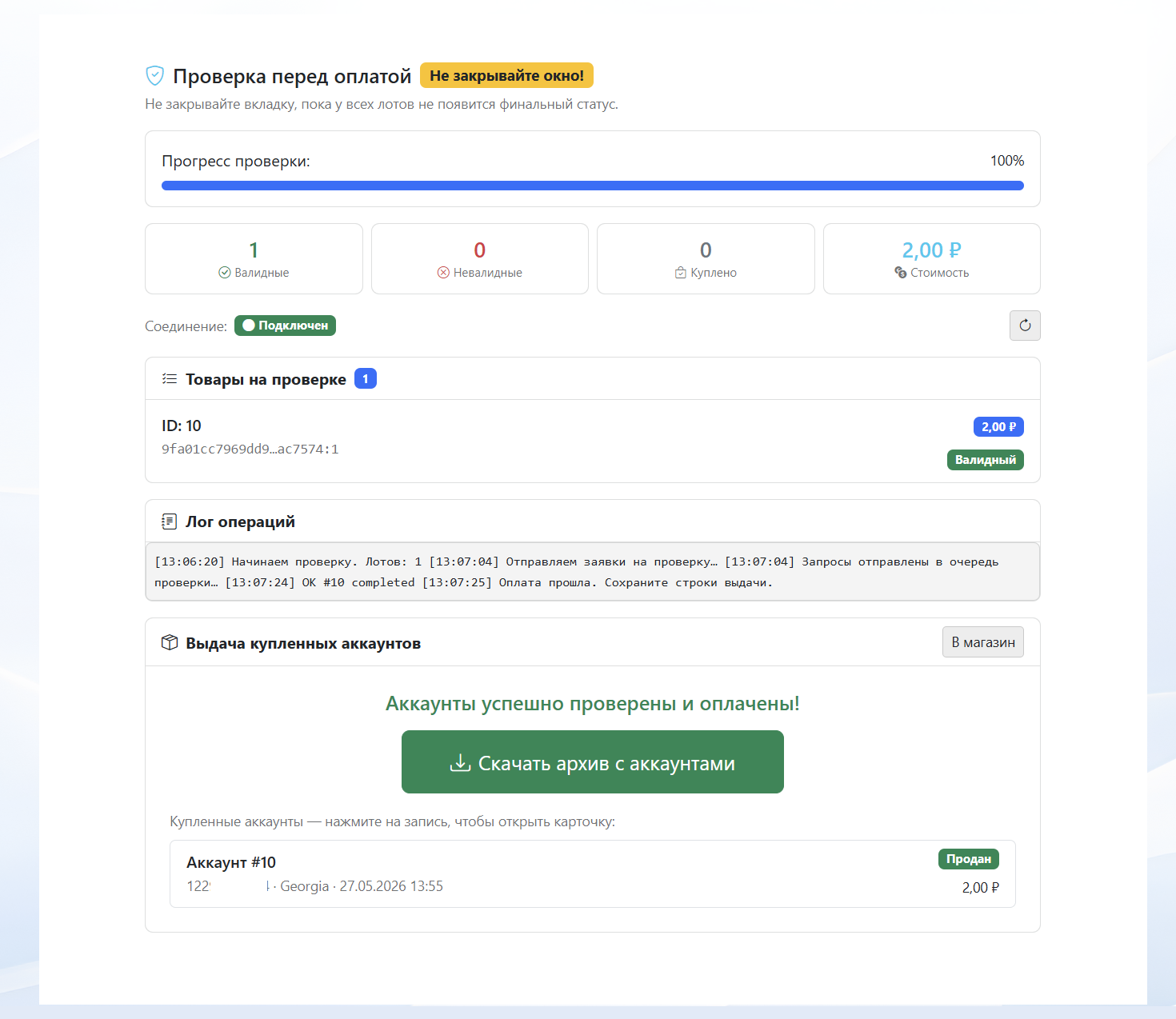
A module for secure buying and selling of TG accounts with automatic verification, delivery in multiple formats, and login via authorization code.
The buyer selects accounts based on automatically collected parameters and pays through the internal RWS Pay balance. To make a purchase, the buyer must create or log into a buyer profile within the store.
Before delivery, each account is automatically verified for validity through the seller’s proxy, confirming that the session is active and the data is correct.
Available delivery formats after purchase:
• TData
• Telethon Session
• Pyrogram Session
• Login via phone number and authorization code
• TData
• Telethon Session
• Pyrogram Session
• Login via phone number and authorization code
Upload methods for sellers:
• Bulk import in AUTHKEY:DCID format
• TData folder upload
• Session file import
• ZIP archive upload with tdata
• Bulk import in AUTHKEY:DCID format
• TData folder upload
• Session file import
• ZIP archive upload with tdata
The module automates the entire workflow: uploading, storage, verification, sale, and account delivery. It operates separately from the standard product system, and purchases are available only through the buyer profile with payment via RWS Pay.
The seller specifies their IPv4 proxies for account verification.
Separate proxies can be assigned to specific batches; if they are unavailable, proxies from the general list will be used.
Setup: You must use the template path Customize → Open Editor → Add Block → TG Module.
You can customize the layout, colors, number of cards, hide unnecessary parameters, or leave only the account list. For accounts with passwords, a separate note can be added, which the buyer will see after purchase.
27-05-2026
Read more
New payment method
A new payment method has been added — Platega.io.
You can learn more about the checkout and the integration instructions in the payment settings.
You can learn more about the checkout and the integration instructions in the payment settings.
24-03-2026
Read more
Improved functionality
Added the ability to upload images to our server to speed up design loading.
You can now use this feature in custom designs to make your store load faster. This improves PageSpeed scores, which positively affects search engine rankings.
Added the ability to specify custom meta tags in the template settings.
Previously, only certain meta tags could be added, mainly for enabling checkout features. Now, a separate field is available for specifying any meta tags, for example, for store verification in various directories.
The customer login and registration form has been updated. For themes created with the template builder, the login and registration process now takes place directly within the store.
The form has also been updated for older templates. Based on client feedback, it has been made as neutral as possible to prevent acquired customers from navigating to other stores on the platform.
You can now use this feature in custom designs to make your store load faster. This improves PageSpeed scores, which positively affects search engine rankings.
Added the ability to specify custom meta tags in the template settings.
Previously, only certain meta tags could be added, mainly for enabling checkout features. Now, a separate field is available for specifying any meta tags, for example, for store verification in various directories.
The customer login and registration form has been updated. For themes created with the template builder, the login and registration process now takes place directly within the store.
The form has also been updated for older templates. Based on client feedback, it has been made as neutral as possible to prevent acquired customers from navigating to other stores on the platform.
26-02-2026
Read more
RWS Pay - a guarantee of secure purchases and the addition of a review system for stores
Meet 🔒 RWS Pay - the guarantor of secure purchases
We have implemented an internal payment system to protect your money and your peace of mind. You can now make secure transactions directly on the platform.
How it works:
✅ The buyer pays for the item via RWS Pay.
⏳ The funds are placed on a 24-hour hold.
👌 If everything is fine - after 24 hours, the money is automatically transferred to the seller's RWS Pay balance.
⚡️ If a dispute arises - immediately open a support ticket and click the button to add an arbitrator. We will investigate and refund the money if necessary.
Why is it convenient?
For Buyers: Zero risk of running into a scammer. By purchasing through RWS Pay, you can rest easy: in case of a scam by the seller, you have 24 hours to get your funds back.
For Sellers: Automatically increases customer trust and loyalty; they feel more secure and make larger purchases. Returns have become simpler: money is deducted from your balance and transferred to the buyer with no fees.
How to use it:
You can top up your RWS Pay balance in your profile settings (USDT, BTC, ETH, and others are available). Withdraw funds in one click to your wallet. The system works on the principle of the old balance system, but now money is credited to the seller in stages, as purchases are made, and you can withdraw your balance at any time. The old buyer balance system will be automatically disabled once balances reach zero. Unlike the old balances, which were tied to a specific shop, RWS Pay works for all shops on our platform.
Important: The old direct payment methods for purchases haven't gone away and are still available.
🚨 Now you can (and must❗️) talk about purchases! The review system is now live ⭐️
We have taken an important step towards transparency and honesty. A review system has been added to shops. Now every buyer can share their experience, and sellers can get objective feedback.
How does it work?
Only real buyers who meet the following conditions can leave a review:
🛒 Make a purchase in the shop.
💳 Pay for it via RWS Pay.
💰 The purchase amount is at least 300 rubles.
✅ After the transaction is successfully completed, a review form becomes available in the buyer's dashboard.
Advantages of the new feature:
For Buyers: You only see honest ratings from those who actually paid. No fake inflated ratings - every review is backed by a real purchase.
For Sellers: Reviews from real customers increase trust in your shop and help it grow. Bots and competitors wanting to harm your reputation simply cannot leave a comment without making a real purchase. Shop reviews are displayed on the page with the deposit level, as well as in search results and global categories. A separate review module that you can place inside your shop will be added later.
Protection against unfair reviews:
We have provided protection against dishonest customers and competitors:
- You can comment on any review.
- You can automatically delete a review by refunding the buyer's money using a special button.
- In the "Buyer Blacklist" section, you can now add a username or email (this information is available in orders) to prevent that user from accessing your shop again.
Our support team is always available and will not allow intentional rating manipulation without objective reasons.
16-02-2026
Read more
Service update
An additional backup gateway for accepting cryptocurrency payments has been added.
It operates in the same way as the main gateway, with 100% identical fees and other features.
You can specify the same USDT wallet and network for accepting funds.
The backup gateway is designed to ensure uninterrupted payment processing in the event of temporary technical issues with the main gateway.
This update improves order stability and purchase reliability.
You can enable the additional gateway in your payment settings.
It operates in the same way as the main gateway, with 100% identical fees and other features.
You can specify the same USDT wallet and network for accepting funds.
The backup gateway is designed to ensure uninterrupted payment processing in the event of temporary technical issues with the main gateway.
This update improves order stability and purchase reliability.
You can enable the additional gateway in your payment settings.
27-01-2026
Read more
Adding a template builder with ready-made design presets.
A template builder has been added.
You can now create a unique store design on your own without having any CSS styling skills.
Previously, we already had a customizable template, but the current version significantly expands the store’s customization capabilities.
You can now create a unique store design on your own without having any CSS styling skills.
Previously, we already had a customizable template, but the current version significantly expands the store’s customization capabilities.
In addition to visual styling, you can add extra blocks with settings for color, gradient or background image, transparency, spacing, border radius, and text color.
The following blocks have been added:
The following blocks have been added:
- Text block
- “Advantages” block
- Product carousel
- Best-selling products
- Image block
- FAQ section
- Additional dividers between blocks
The ability to customize the product page (if enabled) and the store’s base pages has been added.
To do this, use the page navigation in the editor: Home / Product / Pages.
Don’t forget to save changes on the current page before switching to the next one.
To do this, use the page navigation in the editor: Home / Product / Pages.
Don’t forget to save changes on the current page before switching to the next one.
You can change the product display type: list or grid.
Three category display options have been added (tiles / badges / dropdown list via button), as well as the option to combine category and search display.
Three category display options have been added (tiles / badges / dropdown list via button), as well as the option to combine category and search display.
The editor includes the ability to export and import a JSON template for backup purposes or for sharing your custom template with other users.
A version history has also been added: if you make a mistake while creating or editing and save a template with an error, you can roll back changes in just a few clicks in the “Versions” section.
A version history has also been added: if you make a mistake while creating or editing and save a template with an error, you can roll back changes in just a few clicks in the “Versions” section.
The template builder is designed so that everything you create is responsive and displays correctly on desktops, tablets, and mobile devices.
You can also set separate backgrounds for the desktop and mobile versions of the site.
You can also set separate backgrounds for the desktop and mobile versions of the site.
Ready-made design presets for various store themes have been added.
If you don’t have time to explore the editor, you can apply a ready-made design with a single click.
The preset selection window includes a preview feature to see how the store will look with the selected preset.
If you don’t have time to explore the editor, you can apply a ready-made design with a single click.
The preset selection window includes a preview feature to see how the store will look with the selected preset.
This is not the final version of the template builder — it will be expanded and improved over time, and new ready-made design presets will be added.
The ability to change the color of the shopping cart that opens for the customer (light / dark) has been added.
The design of the store deposit level page has been updated, with information added about the number of purchases and the store registration date.
20-01-2026
Read more